Zero-downtime deploys on one VPS with Caddy and pm2
· 10 min read
On this page (11)
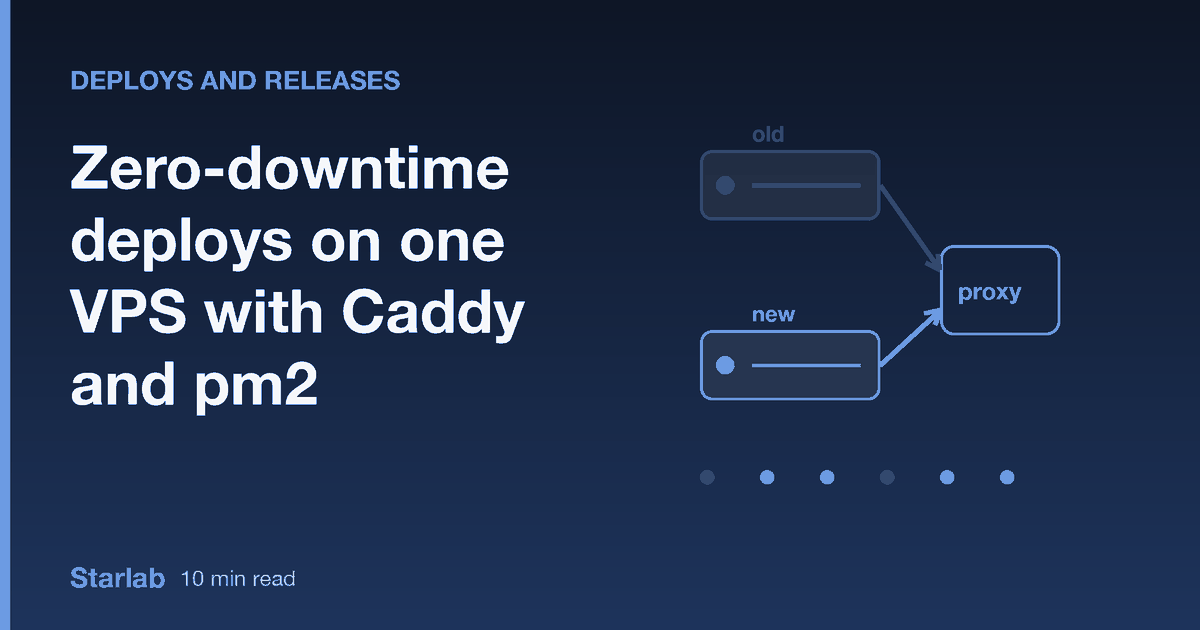
A deploy that stops your app and starts it again leaves a gap where Caddy has nothing to talk to, and every request in that gap becomes a 502. On a quiet app the gap is a second or two and nobody notices. On a busy minute, or when the caller is a payment provider that retries only three times, it is an incident. You can close the gap on a single VPS without containers or an orchestrator, using two ports, a reverse proxy and a health check.
This post walks through that technique with the commands, explains the pm2 trap that breaks the obvious version of it, and shows what we measured when we put steady load through Caddy during a deploy.
Restart versus blue/green
Who needs this
You do not need zero-downtime deploys for every project. You need them when a failed request costs something. Three situations where it does:
- A webhook receiver. A small Node service takes payment or git-hosting webhooks. Senders retry, but each retry arrives later, and some senders disable an endpoint after repeated failures. A deploy during a burst of events is exactly when you least want a refused connection.
- An API used by a mobile app. You cannot control how old clients behave. Many do not retry at all, and a user who sees an error screen does not know that it was "only a deploy".
- A store or booking page with a deploy habit. If you ship small changes several times a day, a two-second gap each time adds up to real lost checkouts, and it teaches you to avoid deploying, which is worse than the outage.
If none of these fit, a plain restart at 3 a.m. is a legitimate choice. Our other post on what a plain systemctl restart costs under load puts a number on that choice so you can decide with data.
The trap: pm2 reload does not follow your symlink
A common layout is release folders plus a current symlink:
/var/www/app/releases/20261109-101500/
/var/www/app/current -> releases/20261109-101500
You build the new release, move the symlink, run pm2 reload app, and expect the new code. We reproduced the opposite. pm2 keeps the working directory the process had when it was first started. The symlink moved, the app kept running the old release, the health check passed, and a deliberately broken release was reported healthy. A deploy that silently does nothing is worse than one that fails, because you find out from a user.
There are two ways around it. One is pm2 delete app followed by pm2 start from inside current/. That works, and it is an outage, which defeats the purpose. The other is to stop relying on current for the running process: start each release from its own directory, on its own port. Blue/green does exactly that, and it also fixes the downtime.
The layout: two ports, one proxy
Request path
Caddy listens on 443 and proxies to one of two local ports. The Caddyfile does not name the port. It imports a one-line file that the deploy script rewrites:
example.com {
	encode zstd gzip
	import /etc/caddy/upstream.caddy
}
# /etc/caddy/upstream.caddy (written by the deploy script)
reverse_proxy 127.0.0.1:3101Port 3101 is slot A, 3102 is slot B. At any moment one slot serves and the other is idle. Your app must read its port from the environment (process.env.PORT) rather than hardcode it, and it must bind to 127.0.0.1 so that only Caddy can reach it.
A deploy builds the release, starts it on the idle port, proves it works, moves Caddy over, waits, and stops the old process. Nothing user-visible changes until the proof succeeds, so a bad release costs you nothing but a failed deploy.
The deploy, step by step
One blue/green deploy
Here is the core of it, simplified. The packaged version adds locking, state tracking and alerts, but this is the whole idea:
#!/usr/bin/env bash
set -euo pipefail

release="$1"                       # directory with the built release
new=3102                           # the port that is NOT serving right now
snippet=/etc/caddy/upstream.caddy

# 1. refuse if something already listens on the idle port
if curl -s -m 2 -o /dev/null "http://127.0.0.1:$new/"; then
  echo "port $new is in use" >&2; exit 1
fi

# 2. start the new release from its own directory
PORT=$new pm2 start npm --name app-b --cwd "$release" -- start

# 3. health-check it directly: three OK answers in a row
ok=0
for i in $(seq 15); do
  if curl -fsS -m 3 "http://127.0.0.1:$new/health" >/dev/null; then
    ok=$((ok+1)); [ "$ok" -ge 3 ] && break; sleep 1
  else
    ok=0; sleep 2
  fi
done
if [ "$ok" -lt 3 ]; then
  pm2 delete app-b
  echo "unhealthy, traffic untouched" >&2; exit 1
fi

# 4. switch Caddy atomically; keep the old file if the reload fails
old="$(cat "$snippet")"
printf 'reverse_proxy 127.0.0.1:%s\n' "$new" > "$snippet.tmp"
mv -f "$snippet.tmp" "$snippet"
if ! caddy reload --config /etc/caddy/Caddyfile; then
  printf '%s\n' "$old" > "$snippet"
  pm2 delete app-b
  exit 1
fi

# 5. drain, then stop the old process
sleep 5
pm2 delete app-a
Five details carry most of the value.
Health-check the new process on its own port, not through Caddy. Through Caddy you would be testing whichever release currently serves. On its own port you test the exact process that is about to take traffic. A broken release never sees a real request.
Ask for several consecutive OK answers. A release that starts, answers one health check and dies a second later passes a single check. Three in a row, with the counter reset on any failure, rejects it. The packaged script defaults to three and calls it HEALTH_PASSES.
Check that the idle port is really idle. If a stray process from a failed deploy still holds 3102, your new process will fail to bind and your health check will happily talk to the stray. The curl in step 1 turns that confusion into a clear error.
Write the upstream file atomically. Write to a temp file in the same directory and mv it over. A reload that happens while the file is half-written would read garbage. Keep the old content so a failed reload puts things back.
Use caddy reload, not restart. A reload applies the new config without dropping the listening sockets, and requests already in flight on the old config are allowed to finish. A restart of Caddy itself would reintroduce the gap you are trying to remove.
What the drain wait is for
Rule of thumb: the drain wait must be longer than your slowest normal request.
After the switch, a few requests may still be running on the old process: they were accepted before Caddy moved. Waiting before stopping it gives them time to finish. We use five seconds in this setup. If your requests regularly run longer, set the wait longer than your slowest normal request, otherwise you will cut those off. Long-lived connections such as WebSockets are a separate matter: the old process is stopped at the end of the deploy, so those connections end then. Clients of long-lived connections need to reconnect either way.
What we measured
Failed requests during a deploy (20 req/s load)
Setup: a Debian 12 container, Caddy 2.6.2 from apt, pm2, and a Node app that needs 1.5 seconds to start. Load was 20 requests per second through Caddy for the whole deploy, every fifth request hitting a 300 ms endpoint. A request counts as failed on a connection error, a timeout over three seconds, or any status other than 200.
| Scenario | Requests | Failed | Deploy time |
|---|---|---|---|
| pm2 delete + start, good release | 116 | 32 (all HTTP 502) | 2.4 s |
| pm2 delete + start, broken release (rolled back) | 380 | 67 (all HTTP 502) | 16.8 s |
| blue/green, good release | 211 | 0 | 7.6 s |
| blue/green, broken release (health 500) | 373 | 0 | 16.6 s |
| blue/green, release that crashes on start | 371 | 0 | 16.5 s |
| blue/green, rollback to the previous release | 208 | 0 | 7.5 s |
In the good blue/green run the load saw both versions: 115 answers from v1, then 96 from v2. Traffic really moved, so the zero is not an artifact of nothing happening. Counts vary a little from run to run (the restart approach failed 32 requests in one run and 34 in another), and this is one machine with one app. Your start time and traffic will change the absolute numbers. The shape will not: a restart loses requests for as long as the new process takes to start, and blue/green loses none because the proxy never points at a process that is not ready.
Notice the broken-release rows. In restart mode, the broken release took traffic down for the whole health-check window, 67 failed requests, before the script rolled back. In blue/green, the same broken release was rejected on its private port and the load never noticed.
Rolling back
Rollback is the same operation in the other direction. The previous release directory still exists, so you start it on the idle port, health-check it, switch Caddy back and stop the current one. Run it twice and you go forward again. The only state you need is a small file that records which slot is active and which release directory each slot runs. The longer treatment, including keeping releases and a symlink for humans, is in rolling back in under a minute with symlink releases.
What this needs from your app
- Two releases running at once, briefly. For a few seconds the old and new code both talk to the same database. Schema changes must be backward compatible, which means adding columns before using them and removing them a release later. See migrations during zero-downtime deploys.
- One process per slot. pm2 cluster mode can work, but each slot is then a group of processes and your health check must reflect all of them. Keeping one process per slot is simpler.
- A health endpoint that checks something real. A route that returns 200 unconditionally proves only that the HTTP server is up. Have it touch the database and any dependency the app cannot work without. We cover this in deploy health checks that mean something.
- Spare memory. Two copies exist for a few seconds. On a 1 GB box with a heavy Node app, check that two fit.
How the options compare
| Approach | Failed requests during deploy | Bad release reaches users? | Extra moving parts |
|---|---|---|---|
| Stop and start | Yes, for the start time | Yes, until you notice | None |
Caddy lb_try_duration on a restart | None, but requests wait | Yes | One Caddyfile line |
| systemd socket activation | None, but requests wait | Yes | A socket unit and a little code |
| Blue/green on two ports | None in our runs | No, if the health check is honest | A second port and a deploy script |
| Containers with an orchestrator | None when configured | No | A lot |
The two middle rows hide failures by making clients wait. That is fine when requests are short and timeouts are generous. We looked at the waiting cost in socket activation drops nothing, but it is not free. Blue/green is the only row where the new release is proven before it is exposed.
Mistakes we see
- Switching the symlink and calling
pm2 reload. Covered above. The deploy "succeeds" and nothing changes. Always verify which release answers, for example by exposing a version string in the health response and checking it after the deploy. - Health-checking through the public URL. You test the old release. Check the private port.
- A single health probe. One success proves little. Require a streak.
- Reloading Caddy before the new process is ready. The order is start, prove, switch. People write start, switch, hope.
- Stopping the old process immediately. In-flight requests die. Drain first.
- Forgetting the pm2 resurrect list. After a reboot pm2 restores what it last saved. If you deploy by starting and deleting named processes, run
pm2 saveafter a successful deploy so a reboot brings back the slot that is actually serving, and make sure Caddy's snippet agrees with it. - Hardcoding the port in the app. Both slots then try to bind the same port and the second deploy fails.
Deploys are half the story
A deploy script protects you from shipping broken code. It does not protect you from losing the data. Dump SQLite with the .backup command rather than copying a live file, dump Postgres with pg_dump -Fc, stop the whole run if a dump is corrupt, and schedule a restore into a temp directory so you find out the backup is bad on a Tuesday afternoon instead of during an outage. In our tests a corrupted SQLite file stopped the backup without creating a snapshot, which is the behaviour you want from a backup job.
FAQ
Does pm2 reload give me zero downtime?
In cluster mode, pm2 reload restarts workers one at a time so some are always available. In fork mode with a single instance it behaves like a restart. Separately, it does not pick up a moved current symlink, because the process keeps its original working directory. For a single-process app, blue/green on two ports is the dependable option.
Is caddy reload really graceful?
Yes. Caddy applies the new configuration without closing its listening sockets, and requests already being served finish on the old configuration. Long-lived connections such as WebSockets end when the old process stops, so clients of those need to reconnect.
Can I do this with nginx instead of Caddy?
Yes. Write the upstream into an included file and run nginx -t && nginx -s reload, which is also graceful. The deploy logic is identical. We use Caddy because the config is shorter and TLS needs no setup. Our comparison of Caddy and nginx for a one-person stack lists the trade-offs.
What if my app takes 30 seconds to start?
Raise the number of health-check attempts so the loop outlasts your start time. Blue/green copes well with slow starts, because users never wait for them. The old release keeps serving the whole time. Only the total deploy time grows.
Do I need two servers for this?
No. Both copies run on the same machine on different ports. The limit is memory and CPU for the few seconds of overlap, not the number of servers.
If you would rather not write and test the script yourself, the VPS Deploy & Backup Kit packages both modes (restart and blue/green) with rollback, restic backups with database dumps, a restore test and failure alerts. The snippets above are enough to build your own.