Deploy health checks that catch bad releases
· 10 min read
On this page (9)
Most health endpoints return 200 ok and nothing else. They pass when the process is up, which is nearly always true, including in the releases you most want to catch. A deploy gate built on that endpoint is a rubber stamp. This post is about making the check mean something: what the endpoint should test, what it should leave alone, how the deploy script should ask, and the specific ways a check goes green while the release is broken.
A rubber stamp versus a real gate
Who needs this
- A Go API that talks to Postgres. The new release has a wrong
DATABASE_URLin the environment file. The process starts, the HTTP server listens,/healthreturns 200. Every real request fails. A check that pings the database would have stopped the deploy before traffic moved. - A SQLite-backed service with a migration step. The migration failed halfway, the app logs an error and carries on with a half-initialized schema. A readiness check that runs one cheap query against the tables the app needs catches it.
- A Node app behind pm2 or systemd that starts slowly. It needs a few seconds to warm a cache. If the gate passes at second one, Caddy switches too early and the first users see timeouts. If the gate waits for readiness, they see nothing.
- A small team shipping from CI. Nobody watches the deploy. The check is the only reviewer in the room. If it is weak, every bad release becomes an incident that somebody finds from a user message.
Liveness and readiness are different questions
These two words come from container orchestrators, and the split is useful even on one server.
Liveness asks: is this process worth keeping? If the answer is no (deadlocked, stuck in a loop), the supervisor should kill and restart it. A liveness check must be cheap and must not depend on anything outside the process. If it checked the database and the database blipped, you would restart a perfectly healthy app and make things worse.
Readiness asks: can this process serve a real request right now? It may check the database, a required config value, a loaded template set. If it fails, the instance should not receive traffic, but it should not be killed either. It might recover in a second.
A deploy gate is a readiness question. You are asking "should I send users to this instance?" Systemd, for its part, handles a coarse version of liveness: Restart=on-failure restarts a process that exits, and WatchdogSec can restart one that stops sending watchdog pings, if you wire the app to send them.
You can expose both on one server as two paths:
mux.HandleFunc("/live", func(w http.ResponseWriter, r *http.Request) {
	w.WriteHeader(http.StatusOK) // the process is running and can answer
})

mux.HandleFunc("/health", func(w http.ResponseWriter, r *http.Request) {
	ctx, cancel := context.WithTimeout(r.Context(), 2*time.Second)
	defer cancel()
	if err := db.PingContext(ctx); err != nil {
		http.Error(w, "db: "+err.Error(), http.StatusServiceUnavailable)
		return
	}
	if !app.configLoaded.Load() {
		http.Error(w, "config not loaded", http.StatusServiceUnavailable)
		return
	}
	fmt.Fprintln(w, "ok", version)
})
Rule of thumb: liveness must not depend on anything outside the process. Readiness should depend on everything needed to serve one request.
Several choices in that handler are deliberate and worth copying.
What the readiness endpoint should check
Check things that are required to serve a request and local to your deployment:
- The database connection, with a short timeout, using the same pool the app uses.
PingContextis enough; running aSELECT 1through the pool also proves credentials work. - That required configuration is present and parsed. A missing secret should fail readiness, not crash on first use.
- That any migration or startup task your app depends on has finished.
- For SQLite, that the file opens and one query on a real table succeeds, because an empty database file opens without complaint.
Leave out things you cannot fix and should not be blamed for:
- Third-party APIs. If a payment provider has an outage and your readiness check calls it, every deploy fails and every instance is marked unready, even though you can still serve most of your site. Report such dependencies in a separate, informational endpoint.
- Slow or heavy queries. A health check runs every second or two. It should cost microseconds of database time, not a table scan.
- Anything with side effects. No writes, no sending email, no cache population.
Return a body that helps a human. ok v1.4.2 tells you in the deploy log which version answered. A failing check that returns db: connection refused saves a trip to the journal.
The version in the body is the check that catches the false green
The nastiest failure is a check that passes because the wrong thing answered. Two real ways this happens:
The old release answers. You start the new release on port 3102. Something else already holds 3102, perhaps the previous instance that never stopped, perhaps another service. Your health check connects, gets a 200, and you switch traffic to a port that is serving old code, while the new process failed to bind. The kit guards against this twice: it refuses to start if the port is already in use (port_busy opens a TCP connection first), and the unit runs as Type=notify, so systemctl start only returns after the app itself reports ready and fails if the process dies first.
The symlink did not move the process. With pm2, we reproduced a case where the current symlink changed but the process kept running from the old directory. The old release kept answering /health happily. We describe that in zero-downtime deploys on one VPS. A check that compares the reported version with the release you just built would have called it out immediately.
The cheap fix: embed the version at build time (-ldflags "-X main.version=$VERSION" in Go), return it from /health, and make the deploy script compare it with what it just shipped. A mismatch means a false green. Fail the deploy.
How the deploy script should ask
The deploy gate is not the same as a monitoring check. A few rules:
Where each check runs
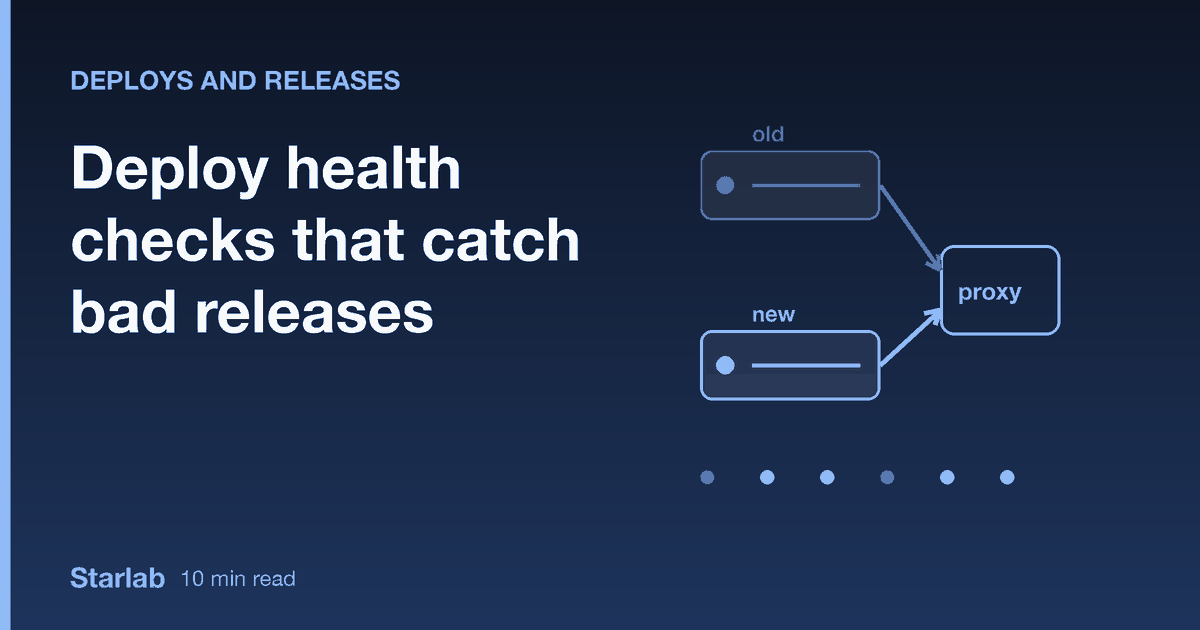
Check the new instance directly, not through the proxy. Before the switch, the proxy sends everything to the old release. The check must hit 127.0.0.1:<idle port>. After the switch, check through the front end as well if you can, because that tests TLS, the proxy config and the route, which the direct check does not.
Require several consecutive passes. One 200 proves little. The kit's wait_healthy demands HEALTH_PASSES (default 3) consecutive successes within HEALTH_RETRIES attempts, and resets the counter on any failure. A release that answers once and then falls over does not get through. The example app that ships with the kit has fault modes for exactly this: one that fails every other call, one that is healthy for four checks and then goes sick. Both are rejected by the consecutive rule or by the post-switch check.
Keep the unit under watch while you check. The loop should abort immediately if the systemd unit leaves the active state. Waiting twenty seconds for a crash-looping process to maybe answer wastes time and hides the actual failure.
Use curl flags that mean what you want:
curl -fsS -m 3 -o /dev/null "http://127.0.0.1:3102/health"-f makes curl exit non-zero on HTTP 400 and above (without it, a 500 counts as success because the transfer worked). -m 3 caps the whole request at three seconds, so a hung app does not hang the deploy. -sS hides the progress meter but still prints errors. Note that -f does not fail on a 3xx redirect, so if a misconfigured app redirects /health to a login page, you get a pass. Check the status you expect, or make sure the endpoint never redirects.
Check again after the switch. A lazy connection pool or a background job that starts a few seconds after boot can break a release that passed its pre-switch check. The kit runs a second round after the drain period, and if it fails, flips Caddy, current and the state file back to the old instance, which is still running, and stops the new one. The mechanics of that switch are in the Caddy blue/green walkthrough.
The gate, in order
Tuning the numbers
There is no universal setting. Think in terms of your app's real startup time.
HEALTH_RETRIEStimesHEALTH_INTERVALis the budget for a release to become ready. If cold start takes 6 seconds under normal conditions, allow at least twice that, not exactly that.HEALTH_PASSESof 3 at a one second interval means the instance must be stable for about three seconds. Raise it if your app has delayed failure modes, for example a connection pool that dials lazily.- Keep the per-request timeout (
-m) below the interval multiplied by the retries, so one hung request cannot eat the whole budget.
Measure your own start time from the journal (journalctl -u app@b -n 20) on a normal deploy and write the number down. Settings picked blind either reject healthy releases or wave through slow ones.
Comparing check styles
| Check | Catches | Misses | Use it for |
|---|---|---|---|
Process is running (systemctl is-active) | Crash on start | Everything after bind | A floor, not a gate |
| TCP connect to the port | Nothing listening | App up but broken | Cheap pre-check |
HTTP 200 from a static /health | Server crashed or hung | Bad DB, bad config, old code answering | Liveness |
| Readiness with DB ping and config check | Bad credentials, missing config | Bugs on specific routes | The deploy gate |
| Readiness plus version match, consecutive passes, post-switch recheck | Old code answering, flapping, late failures | Logic bugs in rarely used routes | The deploy gate we recommend |
| Synthetic request through the front end | TLS, routing, proxy mistakes | Anything not on that route | After the switch |
Mistakes we see
A health endpoint that only returns 200. It tests that the router works, which is almost never what broke.
Readiness that calls external services. One provider outage turns into a failed deploy and a flapping instance. Keep third parties out of the gate.
Checking through the proxy before the switch. It tests the release that is already live.
No timeout. A health request with no -m can hang as long as the app does, and so can your deploy.
Treating the check as the test suite. A health check proves the release can start and talk to its dependencies. It does not prove the checkout flow works. Run real tests in CI before the deploy, and think of the gate as the last, cheap line of defence.
Alerting only on success paths. A deploy that fails its gate should tell you. The kit sends a message by Telegram or a webhook when deploy.sh exits non-zero, and stays quiet on success. Silence on failure is how a stuck pipeline goes unnoticed for days.
FAQ
What should a health check endpoint verify?
That the process can serve a real request: the database is reachable with a short timeout, required configuration is loaded, and startup work has finished. It should be cheap, free of side effects, and should not call third-party services. Return a status code that reflects the answer and a short body with the version.
What is the difference between a liveness and a readiness check?
Liveness asks whether the process should be restarted, so it must not depend on anything external. Readiness asks whether the process should receive traffic right now, so it can check the database and config. A deploy gate is a readiness question, and a supervisor restart is a liveness one.
How many health check passes should a deploy require?
More than one. Three consecutive passes a second apart is a sensible start, because it rejects releases that answer once and then fail, and ones that flap. Tune it against your app's real behaviour: if failures show up late, require more passes or add a second check after the traffic switch.
Should the health check go through the reverse proxy?
Before the switch, no: the proxy still points at the old release, so you would be testing the wrong code. Check the new instance on its own port. After the switch, a second check through the proxy proves TLS and routing as well.
Why did my deploy pass the health check and still break production?
Usually because the check was too shallow (it never touched the database), because the wrong process answered (old release, or something else on the port), or because a failure appeared later than the check ran. Add a DB ping, return and compare the version, and recheck after the switch.
If you would rather not build the gate yourself, the Go + systemd deploy kit includes the consecutive-pass logic, the direct-port check, the post-switch recheck with automatic rollback, and an example app with the readiness and notify code in place.